LightNVR Open NVR
Menu

Open-source camera recording

Keep your cameras.
Choose where you record.

Record and review your IP cameras in one browser. Choose managed cloud hosting or a professionally installed system on your infrastructure.

Let us host your recorder

Off-site recording with an isolated instance and managed server updates. Connect your cameras through a WireGuard gateway at your site.

Starter: $25/month run rate. Networking and optional archive storage cost extra.

Start 14-day cloud trial

No card to start · Explore cloud hosting

Keep recording on site

We design, install, and support LightNVR on your hardware. A fit for local retention, limited uplink capacity, and complex sites.

Quoted for your deployment. Discovery, implementation, and optional ongoing support.

Request an assessment

Explore on-premises deployments

No per-camera software fees · RTSP / ONVIF support · Free to self-host

Live Demo Available

See LightNVR in Action

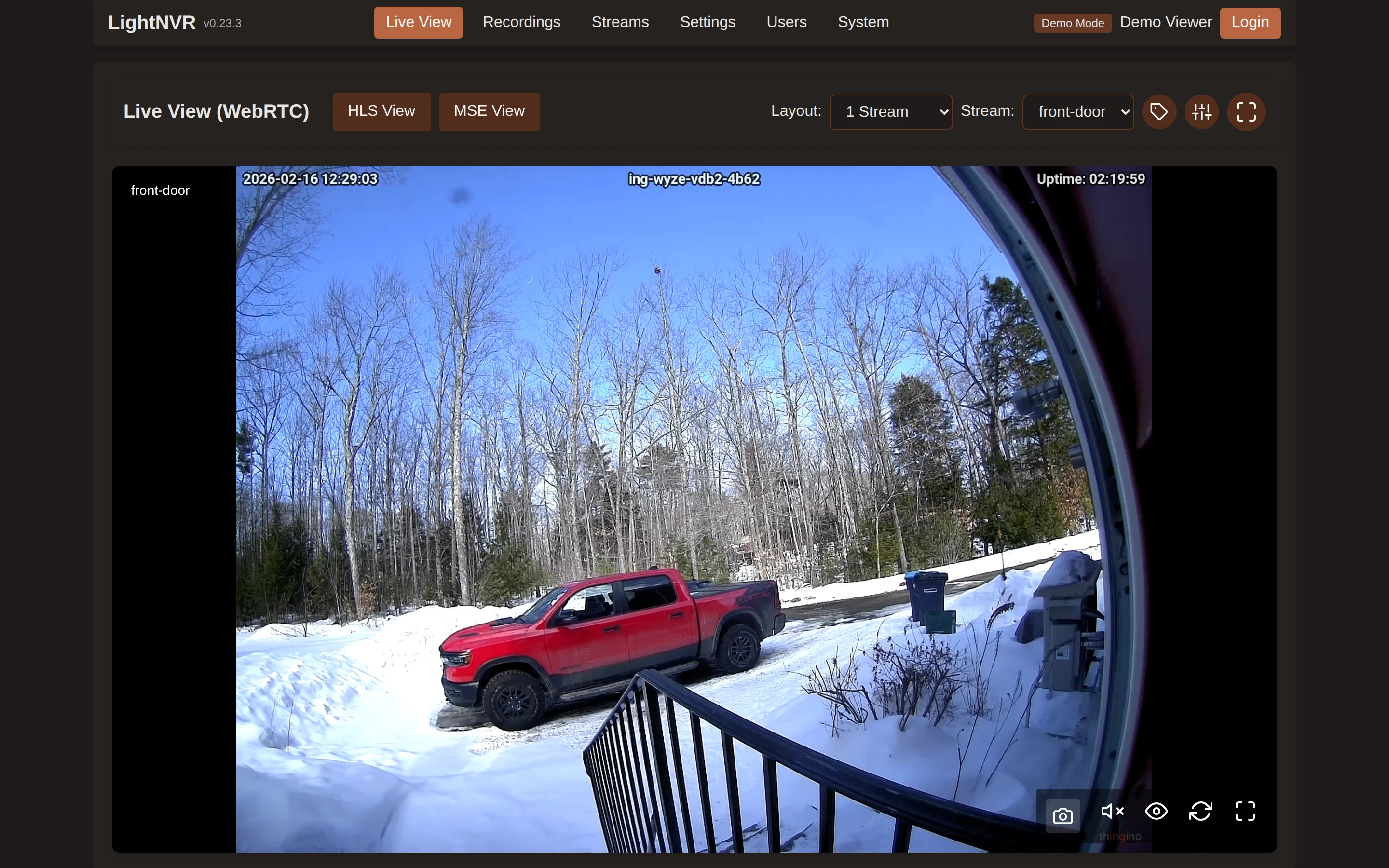
Real screenshots from a live instance — explore different views and themes.

Open live demo (opens in a new tab)
matteius.lightnvr.com
Retro 80s · Dark
LightNVR Live View — Retro 80s theme

Showing Live View, Retro 80s theme.

Theme:
Live Streams Recordings Full UI

Hot recording + object storage

Keep the hot volume small.
Give your recordings more room.

Record to a small hot volume, then move older footage to a private archive bucket. Managed archive setup is available on request; storage and transfer are priced separately.

  1. 01 · Size the hot window

    Recent footage stays close

    Choose a hot volume with room for recent recordings, playback cache, peak traffic, and upload interruptions.

  2. 02 · Provision your bucket

    A private home for older footage

    Once enabled, use Archive storage in your dashboard to provision a private bucket. We install credentials and provide its connection settings.

  3. 03 · Choose your retention

    One recording library

    Add and test the target in Settings → Storage. Set when footage moves and how long to keep it; play or download archived recordings through LightNVR.

Plan from your bitrate. At a combined 8 Mbps, cameras produce about 3.6 GB per hour. A six-hour hot window needs about 22 GB for video alone, plus cache and outage headroom. A 10 GB volume is a starting option for light workloads, not a promise of days of continuous recording.

Grow retention independently. The calculator prices your hot volume, not your archive. Existing hot volumes can grow but cannot be shrunk in place. Keep the recording catalog and arrange archive export or removal before terminating an instance.
From camera feed to recording.

Check compatibility and size storage before your rollout.

  1. 1. Check your cameras

    Confirm the stream URL, codec, and network access for each model.

    Find a camera setup guide

  2. 2. Connect your site

    Use your local network for on-premises recording or configure a WireGuard gateway for cloud recording.

    See the cloud connection steps

  3. 3. Set your retention

    Choose recording schedules and retention, then verify live view, playback, and exports.

    See how the system fits together

Cloud pricing

Pay for resources.
No per-camera fees.

Starter is $25/month at a full-month allocation: 0.5 vCPU, 512 MiB memory, and a 20 GB hot volume. After the trial, billing follows the time resources stay allocated.

Size it for your footage

Adjust compute, memory, and hot storage independently. WireGuard tunnels add $2/month each; archive storage and transfer are separate.

Estimate your cloud cost

On-premises services are quoted separately.

What to know before you start

Will my cameras work?
LightNVR records compatible RTSP streams and supports ONVIF camera discovery. Check your exact model, firmware, and codec in our setup guides. Some cameras need a bridge or different firmware; a brand name alone does not guarantee compatibility.
What happens during an internet or power outage?
Cloud recording needs working cameras, power, and an internet connection at the site. An interruption stops new cloud recordings; footage already stored off-site remains available. A local recorder or camera SD card can provide a separate backup, but LightNVR does not automatically recover that missing interval from an SD card.
Can I start with a small recording volume?
Yes. Size the hot volume for recent footage, playback cache, and upload interruptions, then use an archive bucket for older recordings. Managed archive availability and pricing are confirmed separately. Existing hot volumes can grow but cannot shrink in place.
What happens when I stop a cloud instance?
Suspending stops compute and memory charges; allocated storage still costs money. Export what you need before terminating, which deletes the hot volume and recording catalog. Archive buckets are retained separately: arrange export or removal with support before termination. The dashboard volume export includes local files only.

Still have questions? Email us — a real human responds.

Deploying for customers?

Deliver cloud, on-premises, or hybrid recording with LightNVR as your engineering partner.

Explore the MSP program

Read about security and data handling